How to Write an Auto Part Listing That Sells (and Doesn't Come Back)
A used auto part is a trust problem before it is a sale. The buyer already knows what failed on their car. What they do not know is whether your part is the right one and whether it is honestly described. Your listing has one job: answer “will this fit my car” instantly, and pre-empt the return before it happens. A buyer asking that question is already ready to buy - the exact part number and precise fitment are what close them.
And remember where the buyer is standing: around 6 in 10 used-parts buyers shop from a phone. On that screen they see your photo, your title, and your item specifics first, and the description is tucked behind a “See more” tap most of them never open. If the part is not obviously right on a small screen in three seconds, you lose the sale before a word of your description gets read. Write for the phone, and everything else falls into place.
Most listing advice online is written for retailers selling new parts out of a clean catalog. This is written for the yard pulling a used module off a donor and selling it on eBay Motors and Facebook Marketplace. Below is the anatomy of a listing that sells fast and survives an Item Not As Described claim - and where the deep work on fitment, photos, and pricing actually lives.
The anatomy of an auto part listing that sells
Six elements, in the order buyers weigh them. Notice how little of it is the written description - and how much lives in structured fields and photos.
| Element | What to put | Why it matters | Where it lives |
|---|---|---|---|
| Part ID & fitment | OEM or interchange number, year/make/model/trim/engine | The top cause of “didn’t fit” returns; drives search and the vehicle filter | Title + item specifics + compatibility table |
| Condition | The right condition grade + every flaw named | Wrong grade is a misdescription; this is your Item Not As Described (INAD) defense | Condition Description field + item specifics |
| Photos | Every angle, the part number, each defect close up | Buyers skim text but always look at photos; photos are your dispute evidence | Photo set |
| Description | Three sentences: fits / symptom fixed / condition | Buyers skim it; the app collapses long ones | Body, kept short and plain-text |
| Price | Set by demand and shippability, not a flat markup | Moves bulky stock, holds margin on small parts | Price field |
| Workflow | Templates, batch, list the same day | Speed beats perfection at volume | Your process |
The rest of this guide is that table, unpacked - with the sections other guides skip.
The fill-in skeleton
Fill the brackets in order and you have covered every element of a listing. The sections below unpack the parts that decide whether it sells and whether it comes back.
- Title (about 80 characters, front-loaded):
[Year-range Make Model Trim] [Part] [OEM/interchange #] [key spec] [condition]. The full 80-character formula is in the fitment guide below. - Item specifics (structured fields, not the description body): Brand, MPN or OEM number, interchange number, part type, placement on vehicle, and condition - plus a compatibility table listing every fitting year, make, model, trim, and engine.
- Condition (grade, then disclosure):
Usedmeans it works as intended;For parts or not workingmeans defective. Pick the right one, then name every flaw. - Description (three plain-text sentences, defects first):
[Part] off a [year make model trim engine]. Fixes [symptom]. OEM/interchange [number]. Condition: [grade], [every flaw named], [tested or untested, what is included]. Fitment in the chart above, check your vehicle before buying. - Photos: all sides, the part number, and each defect close up. Mark the physical part, not the image.
- Terms and policy:
[handling time],[returns stance]. Keep it short and honest - on an Item Not As Described claim eBay makes you accept the return and pay return shipping even if you wrote “no returns,” so accuracy protects you and disclaimers do not.
Fitment and item specifics: how you get found
On eBay Motors most buyers do not type keywords. They pick their vehicle and eBay shows parts that fit. That match comes from your structured compatibility table and item specifics - year, make, model, trim, engine, and the part number in its own field. A part with no fitment data is filtered out of those searches before ranking even happens, and your description text is not a search field that saves you.
This is the single highest-leverage part of a listing, and it has its own playbook. Get the full mechanics - the compatibility table, every item-specific field, and the 80-character title - in our guide to eBay Motors fitment and item specifics. Here, just remember the rule: the part number goes in the MPN field, the vehicles go in the compatibility table, and neither belongs only in the description. Those structured fields are also what the phone shows first, so getting them right is what makes the listing read as a fit on mobile.
A quick warning on eBay’s AI listing tool. eBay is rolling out its Magical Listing feature, where you point your camera at a part and it auto-fills the title, category, and item specifics for you. It’s handy for simple stuff, but it’s risky for parts, because a photo can’t tell your part’s exact fitment. It’ll guess a make or a part type off the picture and leave the interchange number, trim, and engine blank or wrong, and that’s exactly the data that gets you found and keeps wrong-fit returns down. It does let you edit the draft before it goes live, so if you use it, treat what it fills in as a rough draft and check every fitment field against the actual part before you publish. For anything with real compatibility data, listing from the desktop form is often faster than fixing what the AI guessed.
How reParta does it - Fitments. reParta pulls accurate year, make, model, trim and engine fitment straight from the vehicle catalog, so buyers find the part and returns go down - no hand-typing the compatibility table.
- Catalog-driven fitment, not manual entry
- Fewer wrong-part returns
- Better search placement on eBay and Facebook
Write the description: three sentences, defects first
Keep the written description to about three plain-text sentences, defects first. It is not a search-ranking field, buyers skim it, and the eBay app hides formatted or long descriptions behind a “See full item description” tap - so this is where most sellers waste effort. Lead with what matters:
- What it fits - the vehicles and the part number, in plain words.
- The symptom it fixes - buyers search what failed (“flickering dashboard lights”), not the module’s engineering name.
- The condition - state the flaws first, not a paragraph about your shop.
No shop autobiography, no “thanks for looking,” no AI-sounding filler - plenty of buyers say they skip a listing the moment it reads like generated copy. Write it plain, in your own words, and it also shows inline on mobile instead of getting collapsed.
That is the description block of the skeleton above. Here is the difference it makes in practice:
Before: “USED BCM good condition pulled from a running car works great fast shipping thanks for looking.”
After: “Body control module off a 2014-2016 Chevrolet Cruze 1.4L (LT). Fixes intermittent dash warning lights and door-lock faults. OEM 13591901, interchange 13503204. Condition: works, tested on the car before pull - one broken mounting tab (pictured), light connector wear. Confirm fitment in the chart before buying.”
The second one is shorter, ranks the same, and is far harder to return. Because the flaws are stated first, the buyer saw them before paying - and a buyer who saw the defect up front has no “not as described” claim to make.
How reParta does it - guided part naming. reParta catalogs a part in seconds and names it from the catalog, so the words buyers search land in the title and item specifics
- the parts of the listing that actually show on a phone - instead of a wall of prose.
- Guided part naming from the catalog
- Clean title and specifics, not a paragraph
- The make-or-break details sit above the mobile “See more” fold
It all lives in reParta’s inventory software: catalog the part once and the listing is built for you - named, priced, and fitment-matched - ready to push to every channel.
Condition disclosure: over-describe on purpose
Pick the condition grade correctly before anything else. On eBay, Used means the part works and functions as intended with normal wear; For parts or not working means it is defective or missing essential components. Choosing the wrong one is itself a misdescription, and it turns a sale into a seller-funded return.
Then over-disclose. Put the condition detail in the Condition Description field and item specifics, where it renders near the top, not buried in the body. Name the broken tab, the scuff, the faded lens, the missing bolt, the mileage if you have it, and whether it was tested. Yes, it feels like talking yourself out of the sale. In practice, thorough disclosure filters out the buyers who would have opened a case, and the ones who buy anyway are not surprised. Treat that as hard-won practitioner experience, not a guarantee
- but it is how experienced sellers keep their return rate down.
Build your INAD defense into the listing
When a buyer files an Item Not As Described (INAD) claim under the eBay Money Back Guarantee, the seller pays return shipping and must accept the return - even if the listing says “no returns.” A part that is damaged, missing pieces, or does not match what you wrote qualifies, and that explicitly includes the wrong condition or thin fitment. This is the part generic guides never connect to the listing itself. For what an INAD actually costs you and when you can keep part of a refund, see how to cut eBay Motors return losses.
You cannot make a determined buyer impossible to refund. What you can do is win the false claims and stop the honest misunderstandings, and you do that at the listing stage:
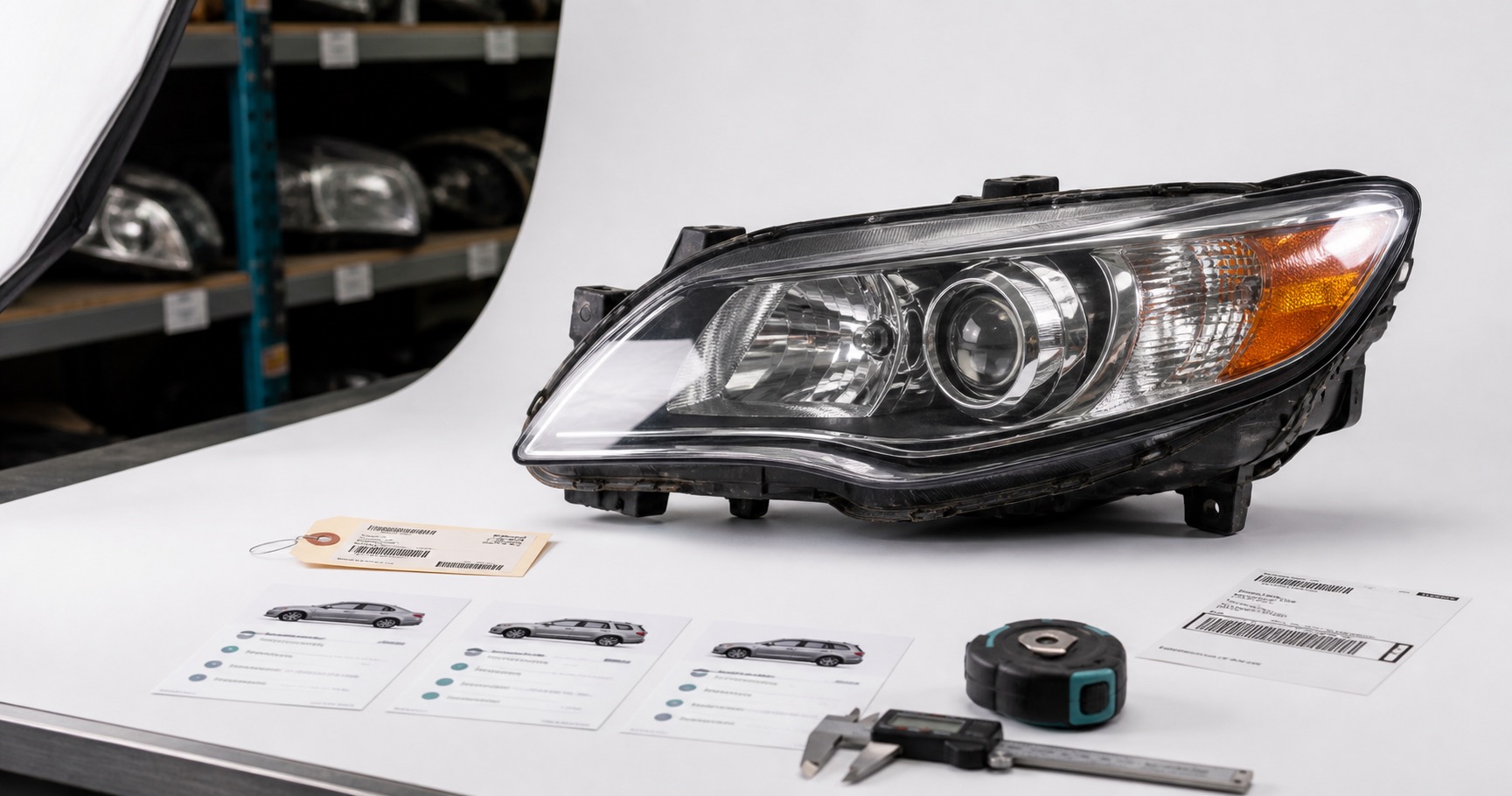
- Photograph the evidence. The part number, every side, and each defect close up. In a dispute, eBay compares the buyer’s claim to your listing - a clear photo of the flaw is worth more than a paragraph. Mark the physical part with a grease pen or arrow sticker if it helps, but never add digital arrows or text on top of the image file - eBay’s photo standards prohibit that and can suppress the picture. Our phone photo setup for parts covers the shots that matter.
- Nail the fitment. Wrong-fit returns almost always trace back to year-and-model-only listings that skip trim or engine. The full playbook for cutting those is in how to reduce wrong-fitment returns.
How reParta does it - AI photo & branding (coming soon). Snap the part on your phone and reParta cleans the background and drops it on your branded backdrop, so every listing looks consistent and the flaw shots stay clear.
- AI background removal
- Your branded backdrop on every photo
- A consistent look across listings
Do this and you reduce how many INADs get opened and you have the evidence to fight the rest on appeal. That is the honest promise - fewer claims, stronger defense - not a return-proof listing.
Price it to move
Do not run a flat percentage across everything. Price by demand and shippability: small, high-demand, easy-to-ship parts (switches, modules, sensors) carry a healthy margin, while bulky, low-demand parts (door panels, bumpers) should be priced aggressively to clear the shelf space they are eating. Anchor to what parts actually sold for, not the asking prices you see. The full method is in how to price used auto parts.
How reParta does it - smart price suggestion. reParta suggests a price from live market data and its catalog, so you list at the right number every time instead of guessing or copying a stale asking price.
- Smart price suggestion from market data
- Priced in seconds, not spreadsheet research
- List at the right number, faster
List fast, list once
At a few dozen parts, free eBay templates are all you need. The math changes with volume: spend thirty minutes on a listing for a $20 switch and you have lost money on labor. So work in batches - clean ten, photograph ten, bag and tag ten, then list ten from a reusable template per part family - and list the same day you pull, because parts you never listed cannot sell.
The other reason to systemize: if you sell the same part on eBay and Facebook by hand, you will eventually sell it twice, and a canceled order dents your metrics. Listing from one inventory that auto-delists the moment a part sells removes that risk. Put plainly - the point of a tool here is to buy back the hours you would spend on data entry so you can spend them dismantling, which is the work that actually makes money.
How reParta does it - catalog once, publish, auto-delist. Catalog a part in seconds, review the title and price, publish to your own eBay account and assist Facebook, and it auto-delists everywhere the moment it sells. Whether you buy whole donor cars or parts by the batch or lot, it is one inventory either way.
- eBay publishing + Facebook Marketplace extension
- Auto-delist on sale - no double-selling
- Warehouse shelf and bin locations with printable QR labels to find any part fast
Your reusable eBay listing template for auto parts
Treat this checklist as your eBay listing template: a fixed skeleton you fill in for every part, so each listing has the fields buyers and search actually read. The structure repeats; the words stay specific to the part. Run every part against it before it goes live:
- Right condition grade chosen (Used vs For parts or not working)
- OEM/interchange part number in its own field
- Compatibility table filled - year, make, model, trim, engine
- Every item specific completed
- Three-sentence, plain-text, defect-first description
- Every flaw named in the Condition Description field
- Photos of all sides, the part number, and each defect
- Price set to recent sold comps, tiered by demand
- Short, honest handling and returns terms (no false “no returns” promise)
- One inventory, so it delists everywhere the second it sells
reParta is an independent product and is not affiliated with, endorsed by, or sponsored by eBay or Meta. eBay, eBay Motors and Facebook Marketplace are trademarks of their respective owners.
Frequently asked questions
What should a used auto part listing include?
Five things, in the order buyers care about them: the exact part number (OEM or interchange) and precise fitment, an honest condition grade, clear photos of every flaw, a short symptom-focused description, and a fair price. Fitment and photos do most of the work. The written description should be about three sentences, not an essay.
How long should a used auto part description be?
About three sentences - what it fits, the symptom it fixes, and its condition including any flaws. Write it as plain text with no HTML or embedded images, because the eBay app collapses formatted or long descriptions behind a 'See full item description' tap. Short plain text shows inline, and buyers skim it anyway, so put the make-or-break details in the title, item specifics, and photos.
How do I reduce 'Item Not As Described' returns on used parts?
Name every defect in the condition description and show each one in a clear photo. On an Item Not As Described (INAD) claim the seller pays return shipping and has to accept the return even under a no-returns policy, so the goal is to stop the misunderstanding before it starts. Thorough disclosure and defect photos lower how many INADs get opened and give you the evidence to win the false ones - they reduce and defend, they do not make returns impossible.
What fitment information do I need in a car part listing?
The OEM or interchange part number plus year, make, model, trim, and engine. Year and model alone are a common cause of 'didn't fit' returns - skipping trim or engine leads to wrong-fit claims. Put this in the structured compatibility table and item specifics, not just a line in the description, because that table is what eBay's vehicle filter and search actually read.
Where should I put the condition of a used part?
In the Condition Description field and item specifics, plus photos - not buried in the main body. Pick the right condition first: 'Used' means it works and functions as intended with normal wear, while 'For parts or not working' means defective or missing essential pieces. Choosing the wrong one is itself a misdescription and a return trigger.
Can I add arrows or text to my photos to point at flaws?
Mark the physical part - a grease pen circling a crack, a paint-pen SKU on a hidden face - then photograph it. Do not add digital arrows, callouts, or text on top of the image file: eBay's photo standards prohibit added text or artwork and can suppress those images. The rule is simple - mark the part, not the picture.
Do buyers actually read auto part descriptions?
Most skim them, and on mobile the description is often collapsed behind a tap. Buyers always look at photos, so a clear photo of a flaw does more than a paragraph about it. Write the description short and defects-first, and never in AI-sounding filler - many buyers say they skip listings that read like a template.
Is there an eBay listing template for auto parts?
Yes - the useful kind is a structural template, not a canned block of prose. A good eBay listing template for auto parts is a repeatable skeleton you fill in every time: a keyword-first title (part + OEM/interchange number + year-make-model-trim), the structured compatibility and item-specifics fields, a condition grade with a short defects-first description, and a defect-photo checklist. Reuse that structure on every listing; just do not reuse templated marketing prose, because buyers skip listings that read like generated filler. Yard software fills the template's fields for you from the part record.
Should I list parts individually or as one lot?
List them individually. A buyer needs one exact part, and almost nobody needs your whole batch - single listings also match how people search. Save pallets and mixed lots for the occasional one-time bulk sale to another reseller.
Do I need a donor VIN to write a good listing?
No. Good yard software like reParta tracks inventory both ways - by donor vehicle and by intake batch or lot - so buyers who work from liquidation lots or scattered pulls are covered, not just VIN-based part-outs. A donor VIN just makes it faster, auto-filling exact fitment and part numbers. When there is no VIN, capture the OEM or interchange number off the part itself and build the fitment from that.
Should I use AI to write my auto part listings?
Use it to speed up structure, but do not ship AI-sounding prose. Buyers are quick to skip listings that read like generated filler, and a used part sells on specifics - part number, fitment, real condition - not adjectives. Keep the voice human, short, and defect-first.
Should I use eBay's AI (Magical Listing) to auto-fill my part listing?
Use it as a first draft, not the final listing. It builds a draft from your photo that you can edit before publishing, but a photo can't tell it your part's exact year, make, model, trim, engine, or interchange number, so it tends to nail the easy stuff and leave the fitment fields thin, blank, or wrong. That's the exact data that gets your part found and cuts wrong-fit returns, so go through every fitment field and fill in or fix what it missed before you publish, or just list from the desktop form where those compatibility fields are easier to get right.