Salvage yard software: how to choose a system for used-parts inventory and selling online
You choose salvage yard software rarely and then live with it for years, which is exactly why the decision deserves a checklist instead of a demo-day gut feeling. This guide gives you a repeatable way to score any system for used-parts inventory and selling online, the hidden costs to watch, and the two traps that cost yards the most: the zoo of separate apps you get billed for, and the “list a part in seconds” pitch that can quietly wreck your eBay account. It is written for salvage yards, dismantlers, and used-auto-parts sellers of every size, and it is vendor-neutral - the goal is to help you buy well, not to sell you one name.
If you only remember one thing: the most expensive mistake in this category is buying on the demo. The slick demo is the vendor’s best day. Your job is to find out what the boring, ordinary Tuesday looks like two years in.
How to choose salvage yard software in one sentence
If you ask a vendor only one thing, ask this: “Show me, on real parts, how a sale on eBay removes that part from Facebook and the counter, and tell me how many seconds it takes.”
The answer reveals more than any feature list. A confident, specific, live demonstration means the sync is real. A vague “it’s real-time” with no number, or “let’s circle back to that,” means it probably batches overnight - and that is what quietly double-sells your parts and feeds the cancellations that damage your eBay standing.
First, know what kind of tool you are actually buying
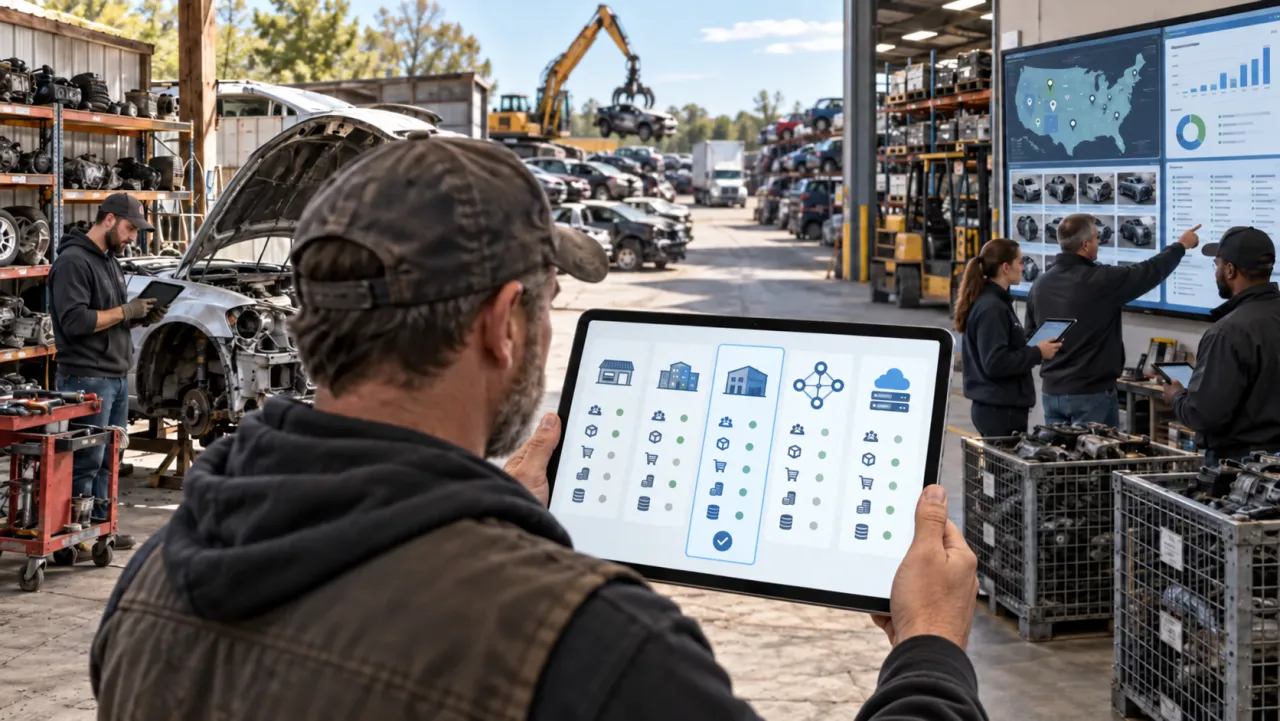
“Salvage yard software” - also searched as used auto parts software - is not one category, and search results blur them together. Work out which of these you actually need - most yards end up running two or three, which is exactly why integration (and the app zoo below) matters as much as any single feature.
- Yard management systems (YMS/ERP). The operational backbone: donor-vehicle intake and VIN decode, part inventory with interchange, barcoding and location tracking, dismantling workflow, point of sale, brokering, accounting. The long-established names are Hollander Powerlink, Car-Part Checkmate, and Pinnacle Professional.
- Used-parts inventory and self-serve tools. Lighter systems for pick-n-pull and U-pull yards: intake, yard mapping, point of sale, customer alerts.
- Marketplace and listing tools. These take inventory you already have and publish it to eBay, Facebook Marketplace, and your own webstore, syncing sold status back. You reach for one when your bottleneck is selling, not managing.
- Parts-locating and trading networks. Shared inventory pools that move demand between yards, shops, and consumers - Car-Part.com and Hollander EDEN are the big two.
- Point utilities. Single-job add-ons: auction bidding, part photography, core valuation, stock moves. Each fills one gap - and each is usually its own subscription.
Decide whether you are buying a system of record, a selling engine, or both. A listing tool will not run your yard, and a classic YMS often sells parts poorly on modern marketplaces.
The market map nobody shows you
The legacy yard-management market is small and consolidated. Hollander Powerlink is owned by Solera, a collision-and-insurance data conglomerate. The category norm is quote-only pricing: none of the major legacy systems publish a public rate card, so you cannot compare them without sitting through sales calls. And there is a data angle owners rarely hear until it is too late - one industry consultant, reacting to the consolidation, put it bluntly: “Hollander has always maintained that it owns the data that users of the system generate.”
Two things follow. First, fewer independent vendors means less price pressure. Second, the real lock-in is not the software, it is your data and your channel access. Keep both movable and you stay in control.
One system, or a zoo of apps?
Here is the trap almost nobody warns you about. The legacy stacks are not one product - they are a menagerie of separate apps, each its own line item. On the incumbent side you can end up paying for a desktop YMS, plus one mobile app to take part photos and a second, different mobile app to move and audit inventory, plus a separate eBay listing add-on, plus access to the parts-trading network, plus a webstore module, plus a core-valuation tool. Two apps for two functions that a phone should handle in one is not a convenience - it is another subscription, another login for your staff, and another integration that can break.
Every extra app is a cost in three ways:
- Money. Modular pricing means the base license covers less than you think; photos, inventory moves, listing, network access, and reporting are each billed separately. The “price” in the quote is rarely the price you pay.
- Integration risk. Five tools have to talk to each other. Every seam is a place where a part gets listed but not delisted, a photo never reaches the listing, or the accounting sync silently drops - and you find out from an angry buyer.
- Time. Every app is another thing to learn, log into, and keep in sync by hand. Staff do the work twice.
The question to ask is simple: does one system take a part from intake to photographed to listed across channels to sold to booked - or do I need to buy and stitch together five? Integration is not a feature to admire in a demo; it is a price you either pay once (in a unified system) or forever (in a zoo).
The “seconds per part” trap: speed is easy, your eBay account is not
A wave of newer tools now sells on speed - “list a part in 19 seconds instead of 10 minutes,” “list once, live everywhere.” That is real, and it is worth being clear about why: sub-20-second listing is genuinely achievable, and it is a solved problem across the whole category, not a differentiator. Here is how any of these tools hits that number - enter the donor once, a VIN decode expands it, a template concatenates the title, item specifics and interchange fitment auto-fill from the catalog, photos attach, and the listing is pushed to eBay through its API. Some tools advertise “19 seconds or less,” others “list a part in about a minute” or “10x faster.” The clock is not the hard part. And the newest tools go further - they let AI write the whole listing, which is where speed turns into a rating risk (more on that below).
Two things are the hard part, and they are what actually decide whether you make money:
1. The quality of what lands in the listing. eBay’s Best Match rewards relevance and completeness, not volume. Complete, accurate fitment/compatibility is a top ranking lever - and a listing with incomplete fitment will not even appear in “shop by vehicle” filtered results, cutting off a huge share of buyers. Full item specifics drive discoverability - Brand, the manufacturer’s actual part number as the MPN (not a Hollander interchange code or your internal stock number, which eBay’s catalog can reject or fail to match), OEM and interchange references, and Placement on Vehicle. Speed multiplies whatever quality you started with: if the template pulls thin specifics or loose interchange, you generate thousands of near-identical, under-specified listings that compete against each other and place poorly. Fast plus thin is worse than slow plus right.
2. Your eBay account health - the asset you can wreck in one batch. A years-old account carries feedback, high selling limits, and Top Rated status (whose 10% fee discount and badge apply to qualifying Top Rated Plus listings). All of it is contingent on staying under hard thresholds, and fast, sloppy listing feeds every one of them:
- Wrong-fitment returns. Loose interchange means the part genuinely does not fit; filed as “not as described,” it costs you two-way shipping and pushes up your eBay service-metrics return rate (which can add fees) - and if the case is closed without your resolution, it becomes a transaction defect.
- Defect and return limits. Sellers must stay at or below a 2% transaction defect rate (0.5% for Top Rated) - counted once defects involve more than four different buyers for the 2% line, more than three for the Top Rated line; auto-parts sellers also face extra fees once service-metrics returns pile up. Slip to Below Standard and you get a fee surcharge, reduced search visibility, and - if it persists - selling restrictions that extend to related accounts.
- Selling limits and holds. Every account has monthly and per-category selling limits that eBay reviews as you grow, and new or fast-scaling sellers can see funds held until delivery is confirmed. Blasting thousands of new listings before your limits and history support it runs straight into those caps and holds.
- Duplicate listings. eBay bars more than one listing of the same identical item from one seller. Genuinely different used parts are not duplicates just because they share a template - but each must be a real, distinct item with its own photos, condition, and item specifics, not a near-copy built to crowd search results.
This is why cross-channel auto-delisting is a defect-avoidance feature, not a convenience: used parts are usually one-of-a-kind, so if a part sells on one channel and does not come off the others instantly, you oversell, cancel, and take a defect. The honest way to read the speed pitch: 19 seconds is table stakes; the quality of the listing and the health of your account are the game. Ask any fast-listing tool how it keeps fitment accurate, item specifics complete, and your account out of trouble - not just how fast it posts.
The newest risk: AI that writes your listings - and hallucinates your fitment
The latest twist on the speed pitch is AI: tools that promise to write the whole listing for you in seconds - title, item specifics, even fitment - from a photo or a VIN. The speed is seductive, and for boilerplate copy it can genuinely help. But there is one field where it turns dangerous, and it is the most important one you have: fitment.
When a model guesses which vehicles a part fits, it does not stop to say “I am not sure.” It produces a confident, plausible-looking compatibility list - and a wrong guess is a hallucination that ships as a live listing. That part then sells to a buyer whose car it does not fit, and it comes straight back as a not-as-described return: the exact cost-and-defect spiral above, now generated at machine speed and volume, quietly dragging down your eBay account rating.
So the question to ask any AI-listing tool is not “how fast” but “where does the fitment come from?” Fitment pinned to a real vehicle dataset and interchange is verifiable; fitment invented by a model is a returns liability with a nice interface. Speed that multiplies fitment errors is not a bargain. Getting fitment right - before the listing ever goes up - is the whole game, and it is not something to hand to a guess.
At a glance: what each type of tool actually covers
Speed and fitment are where most tools compete. These are the capabilities that actually decide profit for a used-parts business - and where the tool types differ most.
| Capability | eBay-only listing tool | Legacy yard management system | Modern platform (reParta) |
|---|---|---|---|
| eBay and Facebook, both first-class | eBay only | Varies or bolt-on | Yes (Facebook assisted) |
| Auto-delist across channels when a part sells | No (single channel) | eBay-to-its-own-system only | Yes, all connected channels |
| Pre-bid ROI: is the car worth buying | No | Separate paid add-on | Yes, included |
| Per-donor profit and loss | No | Reports vary by subscription / add-on | Yes, included |
| Multichannel live today (not “coming soon”) | eBay only | Varies | Yes |
| Published pricing | Sometimes | Quote-based | Yes |
| One system, not a zoo of apps | Add-on layer | Core but modular | Yes |
The pattern: fast eBay listing is table stakes across every type. The questions that decide whether you actually make money - will it also sell on Facebook, will it auto-delist so you never double-sell, was the car worth buying, and did this donor make money - are where the types split.
The criteria that actually separate systems
Feature lists all look the same. These are where systems genuinely differ. For each, what good looks like and the red flag.
- Fit for your size and segment. Good: a plan and references aimed at your volume. Red flag: “it scales to anything” with nothing built for where you are.
- Fitment and interchange accuracy. The engine of the business - wrong fitment is the top reason used parts get returned. Good: accurate, current fitment and interchange - correct vehicle compatibility (year, make, model, engine) plus used-part interchange and OEM cross-reference - with a clear source and update cadence. (ACES and PIES are the new-aftermarket data standards; for used parts what matters is real fitment and interchange, not a full PIES catalog.) Red flag: interchange is a separate paid subscription not in the quote, or fitment tuned for new aftermarket parts that misses used-part interchange.
- Multichannel selling and auto-delisting. Good: first-class listing to eBay and Facebook - not manual, one-at-a-time listing - with automatic delisting the moment a part sells. Red flag: one channel first-class, the rest an afterthought, or manual delisting. You can calculate what double-selling costs you.
- Real-time inventory sync. Good: sync in seconds, demonstrated live - what real-time sync should actually mean. Red flag: batched/overnight sync called “real-time.”
- One system vs the app zoo. Good: one login takes a part intake-to-sold. Red flag: separate paid apps for photos, moves, listing, and webstore that you have to integrate.
- Total cost of ownership. Good: transparent pricing you can see without a sales call. Red flag: base license plus per-module, per-seat, setup, migration, and an annual escalator, none of it visible until you are deep in a negotiation - the squeeze one recycler cooperative summed up as “The fees add up. The costs continue to increase.” Worth reading what you actually need to pay for.
- Contracts, renewal, and lock-in. Good: month-to-month or a short term, clear renewal notice, no exit penalty. Red flag: multi-year lock, opaque cancellation window, no written cap on increases.
- Data ownership, export, and portability. Good: you can export all of it in a standard format, any time, at no charge - and prove it in a trial. Red flag: “export is on the enterprise tier,” “we delete after 30 days,” or export as a paid project.
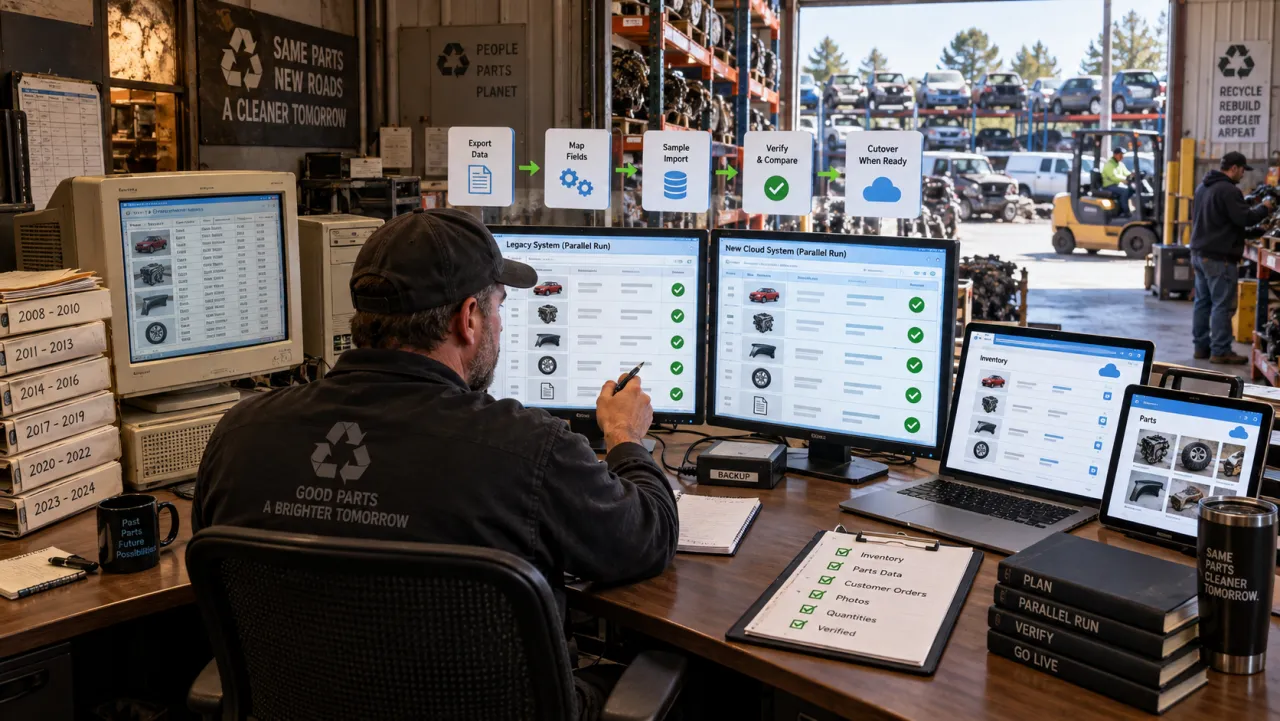
- Onboarding and migration. Good: they migrate your data, run in parallel while you switch, and let you try it on real data. Red flag: migration is your problem, no parallel period, no trial.
The hidden costs that wreck the budget
Every gotcha below is the gap between the quoted price and what you actually pay.
- “Book a demo to see the price.” The legacy norm - it exists so the number can flex to your yard size and stamina. Insist on an itemized all-in figure in writing.
- Modular add-on pricing and the app zoo. Core capability gets split into modules and separate apps you bolt on one line at a time.
- Setup, migration, and training fees. One-time charges rarely in the headline quote; importing interchange-coded inventory is the expensive part.
- Annual escalators. Without a written cap, prices climb every year once you are embedded.
- Data held hostage on exit. If leaving means losing your data or paying to get it back, you never really owned it.
- Batched sync that double-sells. If sync is not truly real-time across every channel, you oversell one-of-a-kind parts and eat the cancellation - and the defect.
- Thin, fast bulk listings - and AI-written ones. High listing counts are not high placement, and wrong-fitment volume drives returns. AI tools that write listings and guess fitment make this worse: a hallucinated compatibility list ships at volume, and the returns that follow drag down your eBay account rating.
The scored buyer’s checklist
Score each criterion using 0, 5, or 10: 0 if the vendor fails it, 5 if it partly meets the bar, 10 if it clearly nails the “what a 10 looks like” description. Then just average your scores for one mark out of 10. The calculation is that simple - add the eleven scores and divide by eleven.
| Criterion | What a 10/10 looks like | Your score |
|---|---|---|
| Fit for size and segment | A plan and references aimed at your exact volume | /10 |
| Fitment and interchange | Accurate, current, native; source and update cadence clear | /10 |
| Multichannel listing | eBay and Facebook both first-class, not one bolted on | /10 |
| Automatic delisting | Sold on one channel, off the others in seconds | /10 |
| Listing quality | Complete item specifics and fitment, not just speed | /10 |
| One system vs app zoo | Intake to sold in one system, not five paid apps | /10 |
| Transparent, itemized pricing | All-in first-year number you can see up front | /10 |
| Contract terms | Month-to-month or short, capped increases, clean exit | /10 |
| Data ownership and export | Free, standard-format export you can test in a trial | /10 |
| Onboarding and migration | They migrate you, parallel run, trial on real data | /10 |
| Proof | Independent reviews, references who joined and who left | /10 |
| Overall | Add the eleven scores and divide by eleven | /10 |
Shortlist only a system that averages 7/10 or higher - and never one that scores below 6 on fitment, automatic delisting, or multichannel listing. Those three make or break a used-parts business, so a low score there is a deal-breaker no matter how good the average looks. A system that clears the bar on those and averages well is a modern fit; one that wins only on brand recognition is nostalgia, not a decision.
Questions to ask every vendor before you sign
Copy these into an email and send them to every shortlisted vendor.
- Give me the all-in first-year number: base, every module and app I need, per-seat, setup, migration, and training. Red flag: cannot or will not itemize.
- How many separate apps and logins does my team need to go from intake to sold? Red flag: a different app for photos, moves, listing, and webstore.
- What is the annual price escalator, and is it capped in writing? Red flag: uncapped.
- What is the contract term, the auto-renewal notice window, and the early-termination fee? Red flag: a multi-year lock with a short, opaque cancellation window.
- Can I export all my data - inventory, interchange mapping, photos, customers, sales history - in a standard format, any time, at no charge? Put it in writing. Red flag: gated, deleted, or billed.
- When a part sells at the counter, how many seconds until it is delisted on eBay, Facebook, and Car-Part? Show me live. Red flag: “nightly” or refusal to demo.
- How do you keep listing fitment and item specifics complete and accurate at speed, so I do not raise my defect rate? Red flag: they only talk about speed.
- Whose interchange do you use, how often is it updated, and who pays for updates? Red flag: a separate subscription not in the quote.
- Will you run in parallel with my current system for 30 days, and who does the data import? Red flag: no parallel run.
- Can I talk to two yards my size who joined in the last year, and two who left? Red flag: cherry-picked references only.
Cloud versus desktop, one system versus best-of-breed
Cloud versus desktop. Cloud runs in any browser, updates itself, and works from the yard floor; legacy incumbents are largely desktop-rooted. For most small and growing yards that want to list and manage from anywhere, cloud wins - just confirm it tolerates spotty yard wifi.
One system versus best-of-breed. One system that does everything is simpler to buy, support, and keep in sync; a stack of specialist tools can each be strong but multiplies cost and integration seams (the app zoo). If your system of record is fine but your selling is weak, add a modern selling layer rather than replacing everything - just count the logins and line items before you commit.
Migrating off a legacy system without losing your data
If you are switching, the license is the cheap part. De-risk it:
- Get the data-export guarantee in writing before you sign, and test the export during the pilot.
- Insist on a proof of concept and a parallel run against your real inventory.
- Itemize every one-time fee and cap annual increases in the contract.
- Verify the real sync interval and auto-delist with a live test.
- Consider keeping your system of record and adding a modern listing and sync layer, then move off spreadsheets cleanly.
A word of honesty this niche needs: genuine public reviews of these products barely exist. Pinnacle Professional shows zero reviews on some directories, and Hollander’s most-cited listing carries a handful, one of which is a real yard owner who wrote that the best thing about the software was that “you can log the pictures.” That thin record is exactly why the get-it-in-writing checklist above matters more than star ratings you cannot find.
How reParta scores on this checklist
Fair is fair - here is reParta, our auto recycler software, run through the same criteria, including where it is not the answer.
- Fit and segment: built for used-parts sellers, dismantlers, and salvage yards of every size - from a solo garage (Garage, one user) to mid-size operations (Yard) and large, multi-location yards (Yard Pro, unlimited users and locations, up to 100,000 active parts). Not built for scrap-metal weigh-in operations or new-parts retail counters.
- Fitment and interchange: VIN decode plus accurate fitment and used-part interchange with OEM cross-references, so listings reach the right buyers with fewer wrong-fitment returns. reParta closes both fitment and interchange - it just does not license the Hollander Interchange index itself, so if your business runs on that specific index, keep it.
- Multichannel and delisting: the core - it lists to eBay and Facebook (assisted) and pulls a part from your other channels as soon as the sale is detected - instantly on eBay, and on Facebook through the assist - so you do not double-sell or rack up cancellation defects.
- Listing quality over raw speed: the point is not “we post in 19 seconds” - it is complete item specifics and accurate fitment so listings actually rank and your account stays healthy.
- One system, not a zoo: donor intake, inventory with fitment, QR labels and locations, multichannel listing, orders and returns, and per-donor P&L in one place, not a separate paid app for every step. It is a used-parts selling and inventory system, not a full teardown/POS/brokering yard-ERP - if you also need production queues, a counter POS, or a B2B brokering network, pair it with those.
- Total cost: pricing is published - one plan per stage, a card-free 14-day trial, no quote required.
- Contracts and data: month-to-month, cancel anytime; you connect your own eBay account and keep your feedback and history.
Where reParta is not the fit: if you need the deepest business-to-business parts network or interchange index in the industry, an incumbent may serve you better. Where it shines is the selling and profit side - multichannel sync, per-donor profit and loss, and pre-bid ROI - a modern, transparent Hollander alternative or Car-Part Checkmate alternative. For a ranked shortlist rather than the method, see the best auto recycling software.
You can start a free trial and run reParta through your own copy of the checklist above.
The boring questions are the ones that matter
Run every option through this checklist and send every vendor those questions. The exciting features - and the “list it in 19 seconds, written by AI” demo - sell the meeting; the boring questions about price, apps, contracts, data, sync, listing quality, and where the fitment actually comes from predict whether you will still be happy, and still have a healthy eBay account rating, in two years.
Frequently asked questions
How much does salvage yard software cost?
It varies widely, and most of the legacy yard-management systems do not publish a price - you book a demo and get a quote based on your yard size, seats, and modules. Newer cloud tools are more likely to publish rates (roughly $40 to $600 a month depending on volume). The number that matters is the all-in first-year cost: base license, every module you actually need, per-seat fees, and one-time setup, migration and training charges. Watch for the app-zoo effect, where photos, inventory moves, eBay listing, and a webstore are each a separate paid add-on.
Is it true you can list an auto part in 19 seconds?
Yes - sub-20-second listing is genuinely achievable and lots of tools now advertise it. Templated titles, auto-filled item specifics, interchange-based fitment, and an API push make the clock speed a solved problem. Speed is not the differentiator. What decides whether the listing actually sells is the quality of what lands in it (complete item specifics and accurate fitment), and whether fast bulk listing quietly damages your eBay account. Be extra careful with the newest wave that promises instant listings written by AI: when a model guesses fitment it hallucinates, and wrong-fitment listings drive not-as-described returns that lower your eBay account rating.
Can fast bulk listing hurt my eBay account?
It can, though the mechanics are worth getting right. Wrong-fitment parts trigger not-as-described returns: those cost you two-way shipping and push up your eBay service-metrics return rate (which can add fees), and if a case is closed without your resolution it becomes a transaction defect. A sudden spike in volume can run into eBay's monthly selling limits or new-seller payment holds. And listing the same identical item more than once can hit the duplicate-listing policy - genuinely different used parts are fine. Sellers must stay at or below a 2 percent transaction defect rate (0.5 percent for Top Rated), and slipping to Below Standard brings a fee surcharge, lost search visibility, and restrictions. A years-old account with feedback and high limits is an asset you can wreck in one bad batch.
What is the difference between yard management software and a listing tool?
A yard management system (YMS) is the operational backbone - donor intake, inventory, interchange, dismantling, point of sale, brokering. A listing tool takes inventory you already have and publishes it to eBay and other channels. Many yards run a YMS plus a listing tool plus separate photo and inventory apps - the app zoo. Decide whether your bottleneck is running the yard or selling the parts, and prefer a system that covers both so you are not paying for and integrating five tools.
Can I switch off Hollander or Car-Part Checkmate without losing my data?
You can switch, but the real cost is not the license - it is moving years of interchange-mapped inventory, photos, customers, and sales history. Before you sign with anyone new, get a written guarantee that you can export all of your data in a standard format at any time, at no charge, and test that export during a pilot. That single clause is the difference between a clean migration and being stuck.
What is the best software to sell used auto parts online?
The best fit depends on your yard, but for used-parts sellers the criteria that matter most are: it lists to both eBay and Facebook (assisted), it auto-delists a part everywhere the instant it sells so you never double-sell, it shows whether a donor car is worth buying before you bid, and it tracks profit per donor - all in one system rather than a stack of separate apps. reParta is built around exactly those, with published pricing and a card-free trial. Legacy yard systems and eBay-only listing tools each cover only part of that list.
What software lists auto parts on both eBay and Facebook Marketplace?
Most auto-parts listing tools are eBay-only. Listing the same part on eBay and Facebook Marketplace from one record, and having it come off both the moment it sells, is less common - and it is what prevents double-selling a one-of-a-kind used part. reParta lists to eBay and Facebook (assisted) and auto-delists across both. When a tool claims 'multichannel,' ask which channels are live today, not 'coming soon.'
Do I need ACES/PIES data to sell used auto parts?
ACES and PIES are the industry standards for new-aftermarket-parts catalog and fitment data. For used parts you care less about full PIES catalogs and more about accurate vehicle fitment and interchange - which year, make, model and engine a part fits, plus its OEM cross-reference - so buyers find it and it does not come back as wrong-fitment. Good used-parts software gives you correct fitment and interchange without you having to become an ACES/PIES expert.
Is cloud or desktop better for a salvage yard?
Cloud software runs in a browser on any device, updates itself, and works from the yard floor; desktop systems are installed on a server and workstations and are harder to access remotely and maintain. Most legacy incumbents are desktop-rooted while newer entrants are cloud-native. For a small or growing yard that wants to list and manage from anywhere, cloud is usually the better fit - just confirm it tolerates spotty yard wifi.