Cloud vs desktop software for salvage yards: what changed
For decades, auto-recycling software meant a program installed on a PC in the office, often tied to a server in the back room. That model is fading, but the honest question is not “cloud or desktop” as a slogan - it is which deployment model fits a mobile, multichannel yard today. Here is a fair look at both, what actually changed, and what to test before you switch. It is one decision inside the modern auto recycler software stack.
What desktop and on-prem software really is
Give the old model its due. Installed software on an office PC, often backed by a local server, can hold deep, proven data and it works fully offline inside one building - no internet required to look up a part or print a label. Mature on-prem products are not as limited as the cloud pitch implies, either: many offer remote access through a VPN, a remote desktop, or a bundled web client, run scheduled automated backups to an off-site target, and ship regular updates. “Office PC or not at all” and “manual backups only” overstate what a well-maintained desktop setup actually does.
What the desktop model does carry is a box you own: a server to buy, house, and eventually replace, plus the person who keeps it patched and backed up. That was a fair trade when the whole business happened in one building. It fits a business that has spread across the yard and across channels less well.
What “cloud” actually means
Here is the correction that matters, because the usual pitch gets it wrong. Cloud software does not mean there is no server. It runs on servers too - the vendor’s, in a data center. In the standard definition of cloud computing, software-as-a-service means the provider runs and maintains the underlying infrastructure, and you simply use the application over the network. What actually changes is ownership and operation: there is no server for you to buy, house, and maintain, no replacement cycle, and no back-room box to babysit. You rent managed infrastructure instead of owning it.
That reframing matters for the rest of the decision, because it tells you what you are really comparing: not “server versus no server,” but “run the infrastructure yourself versus have a vendor run it.”
What genuinely changed for a yard
With that honest baseline, the real wins of the cloud model are clear:
- Access from wherever the work is. Office, yard floor, a phone in the back lot, or home - the same live dataset, without VPN gymnastics. For people moving around a yard, this is built in rather than bolted on.
- Continuous updates. Improvements arrive steadily instead of in rare, disruptive big releases.
- A real-time backbone. Central live data is what makes cross-channel availability possible in the first place: a part sold on the floor can propagate to your channels within moments. That is near-real-time with reconciliation, not zero-latency omniscience - what “real time” should actually mean is its own question - but it is the backbone that keeps a part from selling twice across eBay and Facebook. The mechanics of that cross-channel delist are covered separately.
For a business that lists across channels and has people spread across a yard, access-anywhere and a live central record are not luxuries. They are the reason the model changed.
The honest cautions
The cloud is not automatically better - judge the tool, not the buzzword:
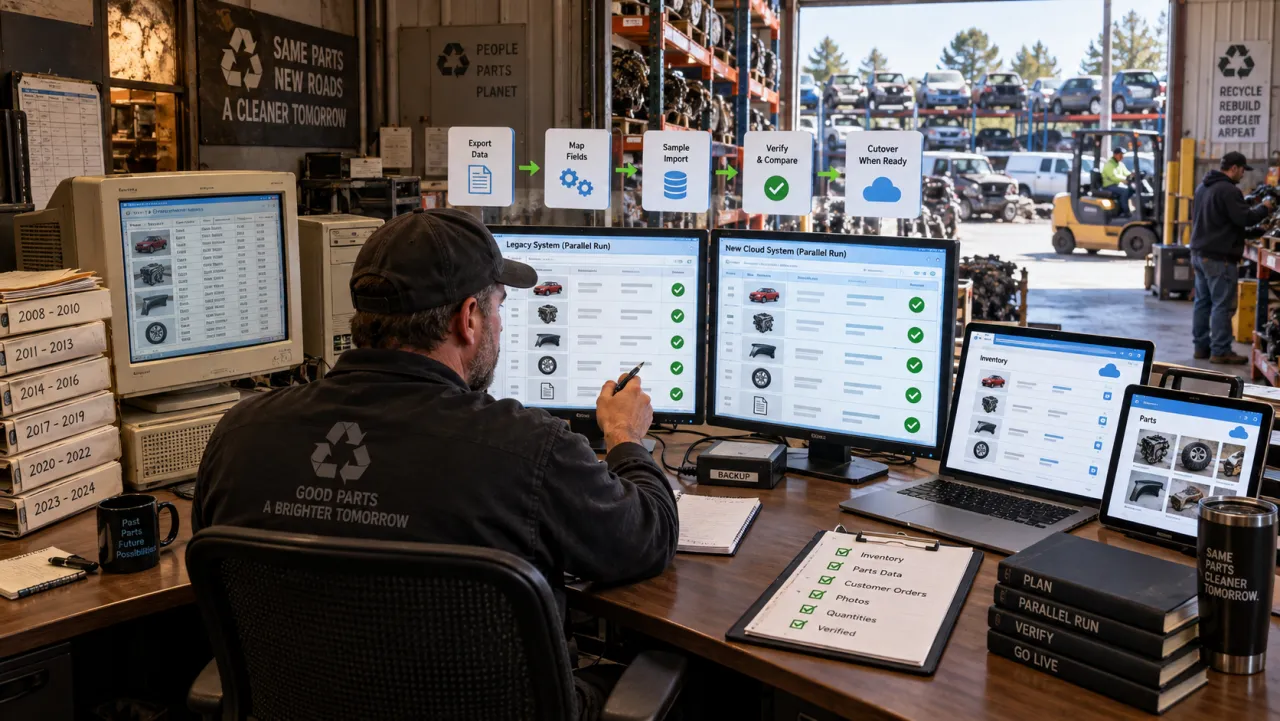
- Migration is real work. Moving your existing inventory in without retyping it is the gating question. If you are coming off a spreadsheet, that has its own on-ramp; off an older software system, its own playbook.
- Cost is a weigh-up, not a given. Add the recurring subscription against the full desktop cost - the server, its replacement cycle, maintenance, and the staff time it quietly consumes. Cloud should undercut legacy-plus-a-server, not add a premium, but the answer depends on your setup, so price your own case.
- Backups, uptime, and your data. The vendor runs backups and uptime, which is a genuine benefit, but it is a transfer of responsibility, not proof of quality. Confirm the two things that are still yours: that you can get your data back, and export it yourself if you ever leave.
Working offline: the yard-wifi question
This is the caution that deserves real attention, because it is the honest weak point of any cloud tool: a cloud app is only as reachable as your connection, and yards are full of dead zones - metal buildings, back lots, the far fence line. So the question is not whether the software is cloud-based, it is how gracefully it behaves when the signal drops.
A well-built cloud tool degrades gracefully instead of freezing. What good offline handling looks like, and what to test before you buy:
- It keeps working offline. The app writes to your device first and holds your actions in a durable queue, so a dropped signal, a closed app, or a dead battery does not lose the work - the queue syncs to the server when you reconnect.
- It resolves conflicts sensibly. If two people edit the same part while one is offline, there has to be a rule - last edit wins, a role priority, or a flag for review. Ask how conflicts are resolved, not just whether sync happens.
- It does not create duplicates. Replaying a queued action on reconnect should not double-list or double-mark a part as sold.
- It works on a phone. Photo upload and label printing should work from the yard, and photos should queue and upload later on a weak signal - with a clear indicator of what is still pending versus actually synced.
If a vendor cannot answer those plainly, that is your answer. A yard with no reliable internet at all is the one case where this tips the other way - see below.
When desktop might still fit
Honesty cuts both ways. Desktop or on-prem can still be the right call when:
- Your site has genuinely unreliable or no internet, and no realistic way to fix it.
- You run a single fixed location and do not sell across multiple online channels.
- You have a heavy existing investment in legacy data and workflows that a switch would disrupt more than it would help right now.
If that is you, the deployment label is not your problem to solve today. For most growing, multichannel yards, though, the operating model has moved.
How reParta fits
reParta was built cloud-native for the modern yard, not a desktop tool bolted onto a browser. It runs in the browser and on your phone, so there is no server for you to buy, patch, or maintain - the vendor runs the infrastructure while you work from the office, the yard, or the salvage row on the same live data. Inventory and listings stay near-real-time across your team and your channels, reconciled as connectivity allows rather than promised as instant everywhere: eBay is automatic through a native API on your own account, and Facebook Marketplace is assisted through a browser extension, since there is no public listing API, with auto-delist and retry working in near-real-time to keep a part from selling twice. Fitment uses reParta’s own built-in OEM cross-reference and part-level fitment, with the U.S. vehicle-configuration data used to identify the donor, so what you list is grounded in real fitment data rather than a guess. Each teardown’s realized result rolls up into per-donor profit-and-loss, and if you are moving off a legacy system or spreadsheets, reParta offers migration help - ask us about your file. It is all one auto parts inventory management software built cloud-native for the way yards work now.
The question is no longer “cloud or desktop.” It is how much the desktop era is still costing you - and what a cloud tool needs to prove before you trust it. Start a free 14-day trial - no card required - or see plans and pricing.
Frequently asked questions
Is cloud or desktop software better for a salvage yard?
It depends on how the yard works, but for a mobile, multichannel operation the cloud model usually fits better because access-anywhere and central live data are built in rather than bolted on. Desktop or on-prem software can still be the right call for a single fixed location with no reliable internet. The honest decision is about the operating model your business actually needs, not the label on the box.
Does cloud software mean there is no server?
No. Browser-based software still runs on servers - the vendor's, in a data center. What changes is ownership and operation: there is no server for you to buy, house, and maintain, and no back-room box on a replacement cycle. You rent vendor-managed infrastructure instead of owning and running your own.
What happens to my cloud software when the yard wifi drops?
That is the most important thing to test. A well-built cloud tool should let you keep working offline by queuing your actions on the device and syncing them when the signal returns, with a clear rule for resolving conflicts if someone edited the same part while you were offline. Ask specifically whether it queues offline actions, how it resolves conflicts on reconnect, and whether photo upload and label printing work from a phone in the yard.
Are backups and uptime really handled for you in the cloud?
The vendor runs the infrastructure, backups, and uptime, which is a real benefit, but that is a transfer of responsibility, not automatic proof of quality. Your data is still yours to protect, so the smart buyer move is simply to confirm you can get your data back and export it yourself if you ever need to. You do not need to master recovery jargon - just confirm those two things.
Is cloud software cheaper than desktop?
There is no universal rule. Weigh the recurring subscription against the full cost of the desktop model: the server purchase and replacement cycle, maintenance, backups, and the staff time to run it. Cloud should undercut legacy-plus-a-server rather than add a premium, but the answer depends on your setup, so price your own case.